 |
Nuke.Cola
|
|
Nuke.Cola
|
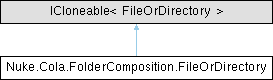
A union provided for denoting wether we want to link/copy a file or a directory. It is undefined behavior when both File and Directory is set to non-null value. More...
Public Member Functions | |
| FileOrDirectory | Clone () |
Public Attributes | |
| string? | File |
| Export a single or a glob of files handled individually. Either File or Directory (dir) must be specified. | |
| string? | Directory |
| Export one or a glob of directories handled recursively. Files inside target directories are not considered. Either File or Directory (dir) must be specified. | |
| List< string > | Not = [] |
| Exclude iterms from this particular set of files or directories if they match any of these patterns. | |
| string? | As |
| Override the destination relative path of exported item. | |
| bool | ProcessContent = false |
| When working with a file, process its contents for replacing specified suffixes. | |
| string? | ManifestFilePattern |
| Only used by "use", if a subfolder uses a different file for export manifest, specify that via this glob. Default is "export.y*ml" or whatever else has been specified for this import session. | |
Package Functions | |
| AbsolutePath? | GetDestination (AbsolutePath srcRoot, AbsolutePath dstRoot, AbsolutePath currentPath, int itemId, IEnumerable< string > exclude) |
Private Member Functions | |
| object ICloneable. | Clone () |
A union provided for denoting wether we want to link/copy a file or a directory. It is undefined behavior when both File and Directory is set to non-null value.
Addtitionally specify some options about the method of exporting given item.
Definition at line 22 of file ExportManifest.cs.
| FileOrDirectory Nuke.Cola.FolderComposition.FileOrDirectory.Clone | ( | ) |
Definition at line 106 of file ExportManifest.cs.
|
private |
Definition at line 119 of file ExportManifest.cs.
|
package |
Definition at line 69 of file ExportManifest.cs.
| string? Nuke.Cola.FolderComposition.FileOrDirectory.As |
Override the destination relative path of exported item.
Use $N syntax (where N is 1..(number of * or **)) to reuse those captured segments of the globbing.
Use $# syntax to get the 0 based ID of globbed item.
Definition at line 53 of file ExportManifest.cs.
| string? Nuke.Cola.FolderComposition.FileOrDirectory.Directory |
Export one or a glob of directories handled recursively. Files inside target directories are not considered. Either File or Directory (dir) must be specified.
Definition at line 36 of file ExportManifest.cs.
| string? Nuke.Cola.FolderComposition.FileOrDirectory.File |
Export a single or a glob of files handled individually. Either File or Directory (dir) must be specified.
Definition at line 29 of file ExportManifest.cs.
| string? Nuke.Cola.FolderComposition.FileOrDirectory.ManifestFilePattern |
Only used by "use", if a subfolder uses a different file for export manifest, specify that via this glob. Default is "export.y*ml" or whatever else has been specified for this import session.
Definition at line 67 of file ExportManifest.cs.
| List<string> Nuke.Cola.FolderComposition.FileOrDirectory.Not = [] |
Exclude iterms from this particular set of files or directories if they match any of these patterns.
Definition at line 42 of file ExportManifest.cs.
| bool Nuke.Cola.FolderComposition.FileOrDirectory.ProcessContent = false |
When working with a file, process its contents for replacing specified suffixes.
Definition at line 59 of file ExportManifest.cs.
 1.12.0